Read reasoning blocks, tool cards, and diffs
Pi Agent can show more than a final answer: collapsible reasoning blocks, tool cards, and red-and-green code diffs. This chapter explains what each type records, when to inspect it, and when it is safe to move on. By the end, you will be watching the agent work rather than treating its answer as a black box.
Why learn to inspect these blocks?
Remember the extra elements around the AI's answer when you started your first conversation in Chapter 7? The collapsible gray block, white card, and red-and-green correction-like display are not decoration or bugs. They distinguish Pi Agent from a conventional chat page: they expose available reasoning information and the record of what the agent did.
Reading them lets you:
- Inspect available reasoning information when an answer takes a wrong turn.
- When the AI says it read
configuration.yaml, open the tool card to confirm which file it read and what the tool returned. - Review a diff line by line before accepting or retaining a configuration change—your final human checkpoint before allowing the agent to alter your home setup.
These records improve visibility, but they do not make an action safe automatically. A tool can run before you read its card, depending on the active guardrails. The goal is to recognize each block immediately and know whether to expand it while understanding the permissions your Session has.
Three special blocks at a glance
Start with this overview. The remaining sections add detail to this mental model:
| Block | In one line | Appearance | Source |
|---|---|---|---|
| Reasoning block Reasoning | Reasoning data the provider makes available | Gray, collapsed by default, with a ▶ control | Only supported reasoning model and API combinations |
| Tool card Tool call | What an external tool attempted or did | White card labeled with the tool name | Built-in tools or tools added by Skills |
| Inline diff Inline diff | Which file lines an edit removes and adds | Interleaved red and green lines | File-edit activity |
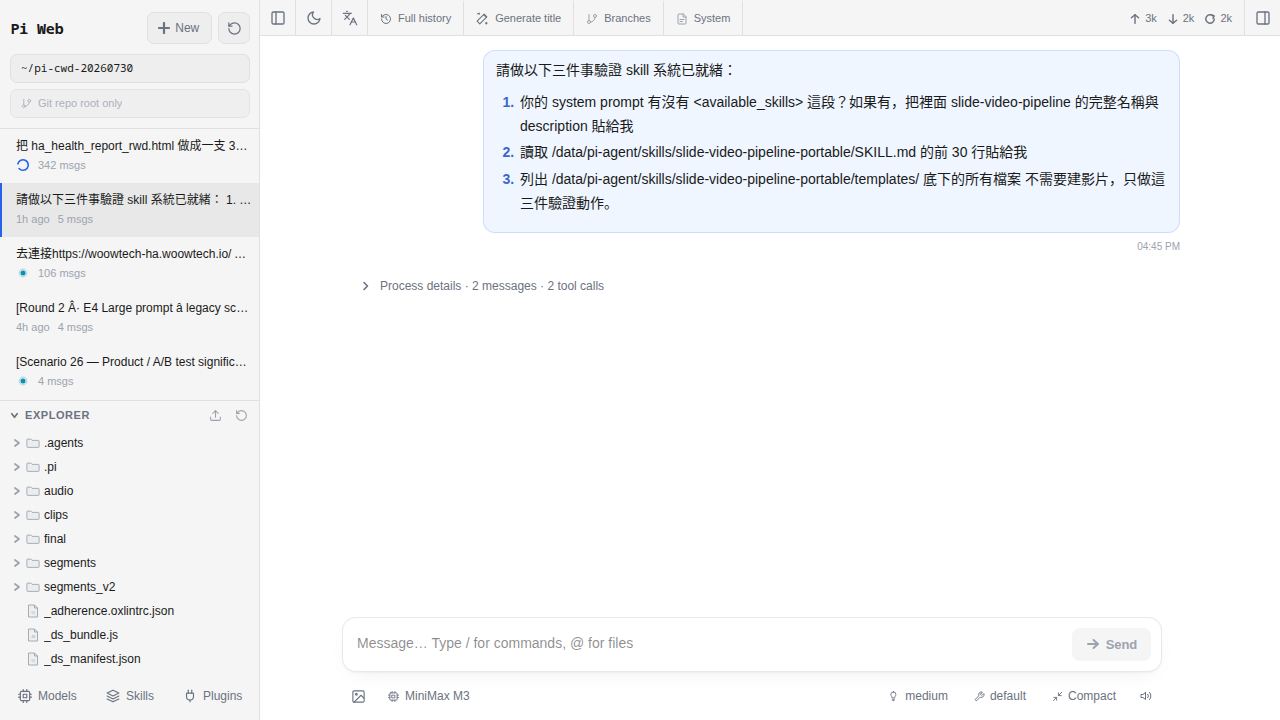
Reasoning blocks explained
Reasoning blocks are the easiest of the three to miss because they are commonly collapsed.
What they look like
A gray block may be labeled “Thinking” or its localized equivalent and include a disclosure control such as ▶ or +. It commonly appears above the final answer. Expanding it reveals whatever reasoning text or summary the provider and route make available.
When they appear
Only a supported reasoning model and route can produce one. Chapter 12 explains the trade-offs. This quick reference helps identify what a route may expose:
| Model | Provider | pi-web thinkingFormat | Visible content |
|---|---|---|---|
A compatible GLM reasoning route with <think> tags or reasoning_content | Z.ai / GLM | zai | Reasoning content when the endpoint returns it |
DeepSeek-R1 / R1-0528 with reasoning_content | DeepSeek | deepseek | Content supplied by the route |
| Compatible Claude models using extended or adaptive reasoning | Anthropic | The SDK uses a built-in thinking block; normally leave the Models field blank | Visible content may be a summary, not private chain of thought |
| Compatible Qwen3 / QwQ routes | Alibaba Cloud or OpenRouter | qwen or qwen-chat-template | Route-dependent reasoning text |
| OpenAI o1 / o3 / o4-mini and GPT-5 reasoning routes | OpenAI | Select openai when the route requires it | No private chain of thought—you may see reasoning_tokens usage data or supported summaries |
| Kimi K2-Instruct on Groq | Moonshot / Groq | Do not select thinkingFormat for this non-reasoning route | None; an Instruct route is not a Thinking route |
Do not infer capabilities from a family name alone. Models such as GLM-4-Flash, GPT-4o, Claude Haiku 3.5, and Kimi K2-Instruct are non-reasoning examples in the source material; on OpenRouter, check the exact current model page and route.
thinkingFormat values are openai / openrouter / together / deepseek / zai / qwen / chat-template / qwen-chat-template / string-thinking / ant-ling—there is no native and no none. A direct Anthropic route uses the SDK's type: "thinking" content block through @anthropic-ai/sdk, so this Models field has no effect and should be left blank.What an expanded block contains
It may show provider-exposed reasoning about the answer—for example, identifying a 10:00 p.m. lighting trigger, choosing light.turn_off, and considering presence conditions. It may be a long passage, a short summary, or only metadata; do not assume it is the model's private chain of thought.
When to read it
- The final answer is strange or conflicts with your constraints.
- You want to inspect the stated analysis framework, such as how a lighting request was divided into trigger, condition, and action.
- You want to see whether an important condition appears in the available reasoning summary.
When to skip it
- The task is low risk and the final answer is easy to verify.
- You asked a simple lookup question.
- You will not use the result.
Why a reasoning model may show no block
Check three possibilities:
- The Chapter 6
reasoningoption is not enabled—where a model entry exposes areasoningcheckbox, it controls whether pi-web renders reasoning as a separate block. - The provider's thinkingFormat is wrong—this is a provider-level field. Use
openaionly for an applicable direct OpenAI-compatible route,zaifor GLM,deepseekfor DeepSeek, orqwenfor a compatible Qwen route; a direct Anthropic route normally leaves it blank. The wrong parser may fail to separatereasoning_content. For OpenRouter, follow the exact model route's current documentation. - You selected a non-reasoning model under the provider—for example, a catalog may include both reasoning and non-reasoning variants, while a Groq Kimi K2 listing may be Instruct rather than Thinking. Confirm the exact model ID.
Tool call cards explained
A tool card is the most important of the three because it records something the agent actually attempted or did.
What they look like
A white card labeled “Tool: xxx” or “Calling xxx” includes a summary of the input parameters and output result. Expand it for complete details. Depending on the version, a card can show “Running…,” success, or failure.
When they appear
They appear when the agent needs to act rather than only generate prose—for example, reading a file, running a shell command, or querying an enabled service. Available tools depend on the active agent and installed Skills; Chapter 16 explains how Skills add capabilities. A model's own knowledge is not a live web search.
Common tool names: Seven pi coding agent built-ins
The core Pi Agent package, @earendil-works/pi-coding-agent, includes these seven lowercase tools:
| Tool | Purpose | Should you expand it? |
|---|---|---|
read | Read a file | Recommended: confirm the correct file and scope |
write | Create or replace a complete file | Always; confirm both path and content |
edit | Replace a matched section and produce an inline diff | Always; review the complete diff |
bash | Run a shell command | Recommended, especially for rm, mv, and sudo |
grep | Search file contents | Usually optional unless the results look wrong |
find | Find paths by pattern | Usually optional; check the search root |
ls | List a directory | Usually optional, though paths may be sensitive |
read_file / write_file / web_fetch / search belong to other agent systems unless a Skill explicitly adds them. The baseline pi coding agent does not use those names and has no built-in web-fetch tool. Web access requires a Skill built around a tool such as curl or playwright, or an appropriate bash: curl ... command. Extra tool names are defined by the Skill and are not part of these seven.What an expanded card contains
It contains the actual arguments—such as the read path or the bash command—and the returned file content, command output, or grep matches. This is stronger evidence of an attempted action than the model's narrative.
When to read it
- When the AI says it read a file, expand the corresponding
readcard and verify the path and result. - For
write/edit, always expand the card. Confirm thepath; foredit, also verify thatold_stringreally comes from the original file. - For a
bashcard, inspect the command for dangerous patterns such asrm -rf,chmod 777, orcurl | sh. - If the conclusion differs from what you expected, inspect the raw tool output.
Inline diffs: Your file-change checkpoint
An inline diff requires close review because it records a proposed or executed file change. It is a review aid, not proof that the change is safe or waiting for approval.
What it looks like
Deleted lines appear in red with -; added lines appear in green with +. Unchanged white lines provide context, much like a GitHub pull-request diff.
When it appears
It can appear when the agent proposes or performs an edit to a known file. For example, after reading configuration.yaml, it can show the MQTT integration lines that differ. A standalone code sample has no baseline and may not produce a diff.
What you can inspect
Review the complete patch, not only the first visible lines. Controls such as “Show details,” “Apply,” “Copy,” or “Compare HEAD” depend on the pi-web version, active guardrails, and repository state.
When to read it
Every time.Also inspect the associated tool card to determine whether the edit already ran.
Three ways to handle a diff
-
Option A: Manually copy a reviewed final version
This is the most conservative option. If your pi-web version offers Copy (the
i18n.copylabel), it may also offer Show details / Hide details for the complete patch and Compare HEAD for a Git comparison. Compare the result with the originalconfiguration.yaml, preserve YAML indentation, and apply only the reviewed portion. -
Option B: Ask the agent to use
editorwriteThe agent may call
editfor an exact local replacement orwriteto replace a complete file. Prefereditwhen an exact local change is appropriate, but remember that you must watch the tool card: verify thepath, the full content, and whether the action already ran. Use this only within approved guardrails. -
Option C: Reject it and request a different approach
If the direction is wrong or a line must remain, state exactly what to preserve and what to change. The agent can generate a new diff, which you must review again from the beginning.
configuration.yaml / automations.yaml / scripts.yaml / .storage/, back up and verify the restore process. Chapter 12 covers how to assess a proposed change, but no snapshot replaces syntax validation and safe testing.Worked example: A lighting automation
Suppose you ask a suitable current model to add a 10:00 p.m. living-room lighting automation. The Session has file tools and the home-assistant-best-practices Skill, which provides Home Assistant guidance but no new tool. It encourages the agent to use edit rather than write over the complete automations.yaml. The response may follow this sequence:
| # | Block | Contents | Your review |
|---|---|---|---|
| 1 | Reasoning block | Available reasoning may identify a 22:00 trigger, a light.turn_off action, and a light.living_room target, then consider whether a condition is needed. | Optional; inspect the approach, but do not treat it as evidence |
| 2 | Tool card: read | Input: path: /config/automations.yaml; Output: existing file content | Confirm that /config/automations.yaml is the intended path and enough of the file was read |
| 3 | Tool card: edit plus an inline diff | Input: path: /config/automations.yaml, old_string: ..., and new_string: ...; the card renders the added automation entry with its alias, triggers, and actions | Always review—confirm light.living_room, indentation, unchanged content, and that old_string exists in the original file |
| 4 | Output: success in the same edit card | Edit result | Confirm whether it succeeded; an error can mean old_string did not match, while success still does not validate Home Assistant syntax |
| 5 | Final answer | A summary that a rule was added to automations.yaml, plus current validation and reload guidance | Validate the configuration and test the automation safely |
edit tool requires an exact old-text match. This limits accidental broad replacement and can reject hallucinated context, making it safer than write for a local edit. It does not prove the replacement is correct.If you read only “Done,” you miss the path, entity ID, exact YAML, and whether the tool succeeded. The diff and tool result let you catch mistakes before relying on the automation.
How these blocks affect context and cost
All three can affect token usage, although billing details vary by provider and route:
| Block | Potential token use | Who pays |
|---|---|---|
| Reasoning block | May add hundreds or thousands of tokens | Your account, according to the route's output or reasoning pricing |
| Tool input | Depends on the request; a large read can add substantial context | It may count as input when sent to the model on the next turn |
| Tool output | Same principle | Same principle |
| Diff | Depends on the changed file | Generated changes may count as output |
Use these three practical controls alongside Chapter 12:
- Use reasoning only when the task benefits from it.For simple lookups and low-risk tasks, choose a current lower-cost non-reasoning model from your provider or OpenRouter catalog.
- Before asking the agent to read a file, decide whether it needs the whole file.If only one range matters, request that range instead of loading thousands of irrelevant lines from
automations.yamlinto context. - Start a new Session when the conversation becomes too long.Old reasoning blocks and tool output can be carried into later context. Watch the
contextUsageindicator if your version displays % used / contextWindow tokens. The documented baseline has no universal warning thresholds, so follow your exact route's limit rather than treating 60% as a guaranteed cutoff or waiting for a provider rejection.
Hide reasoning without confusing display and billing
Some people find reasoning blocks distracting. The documented pi-web 0.8.4 baseline does not provide a guaranteed global UI switch that directly hides every reasoning block; it commonly collapses them by default. Interface controls vary by version, and hiding a block does not prove that the provider stopped reasoning or billing. Two practical choices are:
- Return to Chapter 6 and change the model entry's
reasoningsetting only if the exact route supports it—the display and API behavior are route-specific. On OpenRouter, verify the selected model's documented reasoning settings and whether it returnsreasoning_content. - Select a non-reasoning model—choose a current non-reasoning model ID from your provider or OpenRouter catalog. This avoids assuming that a hidden display also avoids reasoning usage.
0.8.4, does not guarantee that switch. Check the installed version and the current @agegr/pi-web documentation.A useful compromise is to keep one Session for deliberate analysis and another for quick, low-risk questions. Choose current OpenRouter model IDs for each role instead of relying on region-specific defaults.
Common block problems
-
A reasoning block will not expand
Wait for generation to finish. If it still will not expand, reload the page and try a private window without extensions. Press F12 and inspect the browser Console for a real JavaScript error.
-
A tool card reports an error
Expand the card and read the output field named
isError. Common causes include an incorrect/config/automations.yamlpath, abashcommand with a nonzero exit, or aneditold_stringthat did not match. Verify whether a partial action occurred before asking the agent to retry. -
A copied diff breaks YAML indentation
Compare whitespace against the original because tabs and spaces can look alike. Ask for a complete reviewed file only when whole-file replacement is appropriate; do not use
write/editmerely to avoid understanding the diff. -
A selected reasoning model shows no block
Check the provider's
thinkingFormat. A later direct GLM route may requirezaias described in Chapter 6; for OpenRouter, verify the exact model's current reasoning support and route configuration. Open a new Session after changing provider settings. -
A tool remains on “Running…”
Inspect the exact tool. A long
bashcommand such asfind /orffmpeg, or a very largeread, may take time. The baseline pi coding agent has no built-inweb_fetchtool, though a Skill can add one. Use Cancel if available; otherwise follow the installed version's recovery guidance and check the resultingisErrorstate. -
No diff appears; the agent shows only code
A diff needs an original file or baseline. If you did not provide the actual
automations.yaml, ask the agent to read and compare the reviewed file before editing.
Blocks FAQ
Is a long reasoning block better?
Can I trigger a tool card myself?
read to inspect /config/configuration.yaml.” The baseline tools are read/write/edit/bash/grep/find/ls, and a Skill may add others. Check the Skills panel rather than assuming an <available_tools> XML panel exists; Chapter 14 explains how Skills attach capabilities to the agent.Can I completely trust code in a diff?
light.living_room rather than the misspelled light.liveing_room, reject an unintended path such as /, and verify current Home Assistant syntax—for example, whether the specific context expects service: or action:. Also inspect indentation and unintended deletions, then validate and test safely.Can I expand every block at once?
document.querySelectorAll('details').forEach(d => d.open = true) in devtools if your version uses <details>. This is version-dependent and can expose sensitive content on screen, so expand only what you need.